
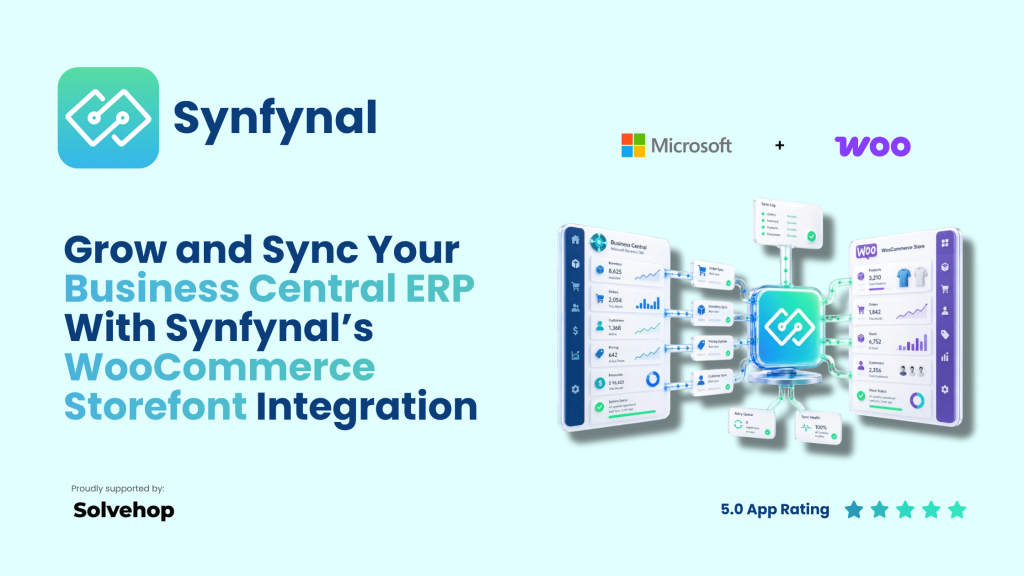
Solvehop partners with Synfynal: the smart way to connect WooCommerce storefronts to Microsoft Business Central ERP.
Solvehop is proud to announce a new partnership with Synfynal to bring merchants a focused, high‑performance connector between WooCommerce storefront and Microsoft Dynamics 365 Business Central. For B2B and B2C brands running a WooCommerce on a Business Central backend, Synfynal is the number one solution for storefront‑to‑ERP integration, order sync, and inventory automation. With a 5 star rating by Microsoft users, quality is assured for SME to Enterprise businesses.
Why this partnership matters
More merchants are choosing WooCommerce for its flexibility and control, especially when they need deep integrations with ERP and other business systems, while relying on Microsoft Business Central as their ERP for finance, inventory, and operations. As WooCommerce highlights, enterprise‑grade growth typically means connecting your store to ERP, POS, and PIM systems through robust APIs and turnkey integrations. Source: WooCommerce.
The challenge is making that connection reliable, secure, and affordable — without the cost and complexity of a custom integration project. That’s where Synfynal fits.
What Synfynal does
Synfynal is a dedicated WooCommerce Microsoft Dynamics connector that keeps your WooCommerce storefront and Microsoft Business Central ERP in constant sync. It automates two‑way data flow for orders, products, pricing, inventory, and customers — so your store and backend always match.
Core capabilities
- Two‑way data sync – Automate WooCommerce order sync to ERP and keep orders, items, inventory, customers, and prices aligned.
- Multi‑store synchronization – Run a WooCommerce multi‑store setup on one Microsoft Dynamics 365 Business Central company with consistent rules and mappings.
- Smart mapping + background automation – Map fields, tax codes, and shipping methods once; let scheduled jobs handle ongoing sync.
- Order and inventory management – Sync orders, statuses, tracking, refunds, and stock levels to reduce oversells and manual fixes.
- Shipping, tax, coupons, and refunds – Keep promotions, tax rules, and refund workflows consistent between WooCommerce and Business Central.
- Logging, error handling, and enterprise security – Detailed logs, retry logic, and secure REST APIs for a cleaner, more predictable go‑live.
For merchants searching how to sync WooCommerce inventory with Business Central or evaluate a WooCommerce Business Central integration, Synfynal offers a focused, AppSource‑listed connector built for scale.
See our solutions page for further details.
Built for B2B and B2C on Business Central
This integration is especially powerful for B2B WooCommerce on Microsoft Dynamics 365 Business Central. Wholesale merchants can maintain complex pricing, customer groups, and inventory rules in Business Central, then push those rules consistently to their WooCommerce storefronts. At the same time, B2C brands benefit from real‑time stock updates, accurate product data, and streamlined fulfillment across channels.
Whether you’re a fast‑growing DTC brand or a mid‑market B2B distributor, the goal is the same: one source of truth across ERP and ecommerce.
Pricing that scales with your business
One of Synfynal’s biggest advantages is its usage‑based pricing. Instead of a flat, high monthly fee, costs efficiently scale with your order volume:
- Entry tiers from around $60/month for lower volumes
- Mid tiers as you grow
- A capped top tier for high‑volume merchants
This model is ideal for small to mid‑market merchants who need enterprise‑grade integration but don’t want to overpay before they’re ready. As revenue and order volume grow, the connector scales with you, keeping costs aligned with actual usage. If orders drop, the fee slides back down based on your order volume — that’s efficiency.
How it compares to other WooCommerce Business Central integration options
Many merchants start with manual exports, spreadsheets, or generic middleware. Over time, that creates errors, delays, and hidden costs in operations and support. Dedicated connectors reduce that risk by focusing on:
- Data accuracy between WooCommerce and Microsoft Dynamics 365 Business Central
- Real‑time or near real‑time sync
- Clear error handling and logs
- Predictable implementation and support
For a broader view of how WooCommerce ERP integration works and what to look for, the ERP Software Blog’s guide to integrating Business Central with WooCommerce is a useful, vendor‑neutral resource. erpsoftwareblog
Why Solvehop recommends Synfynal
Solvehop works daily with WooCommerce merchants, agencies, and developers. We see three consistent needs:
- Reliable data sync between store and ERP
- Simple, scalable pricing that matches growth
- Low‑friction onboarding so teams can focus on sales and operations, not integration complexity
Synfynal checks all three boxes. It’s a focused WooCommerce connector for Microsoft Dynamics 365 Business Central, with a clear roadmap, strong security, and a pricing model that rewards growth instead of penalizing it.
Who should consider this solution
Synfynal is a strong fit if you:
- Run WooCommerce on a Microsoft Dynamics 365 Business Central ERP backend
- Need to sync WooCommerce inventory with Business Central in real time
- Want automated WooCommerce order sync to ERP instead of manual uploads
- Operate multiple WooCommerce stores and need WooCommerce multi‑store Business Central support
- Are evaluating a WooCommerce Microsoft Dynamics connector that is listed on AppSource and backed by a dedicated vendor
It’s particularly relevant for B2B WooCommerce on Microsoft Dynamics 365 Business Central, where pricing rules, customer hierarchies, and inventory accuracy are critical. But it also serves B2C brands that need robust, scalable integration as they expand.
Next steps
If you’re exploring a WooCommerce and Business Central integration or want to replace a fragile connector, talk to Solvehop. We’ll review your stack, confirm whether Synfynal is the right fit, and register your referral before you move to download and implementation.
From there, Synfynal handles onboarding, setup support, and ongoing subscription, while Solvehop remains your partner for broader ecommerce, logistics, and compliance needs.
View Synfynal on the Solvehop Solutions Page.
Want to see Synfynal in action?
Contact Solvehop to get started with the Synfynal WooCommerce connector for Business Central.